Every account, every currency
Banks, savings, wallets and cash in PKR, USD, AED and more — each in its own currency, with your total shown in the one you choose.
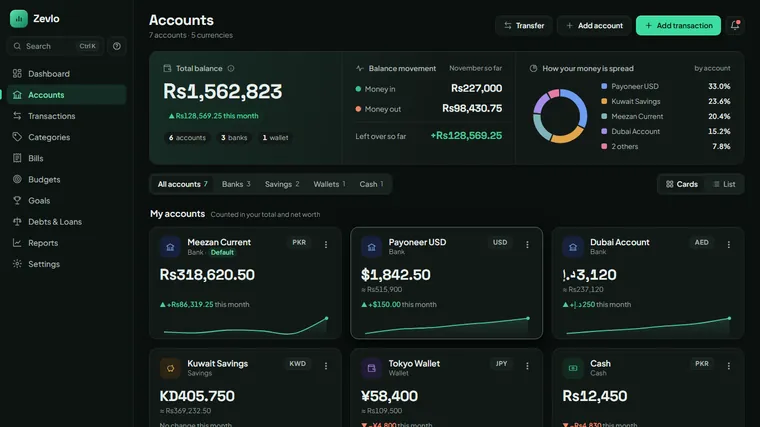
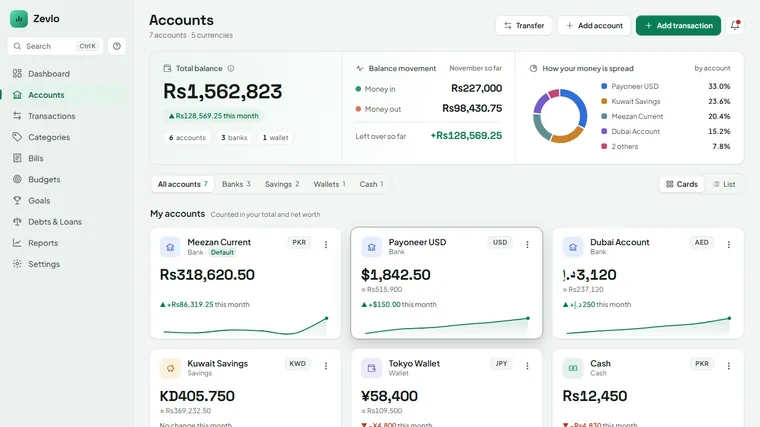
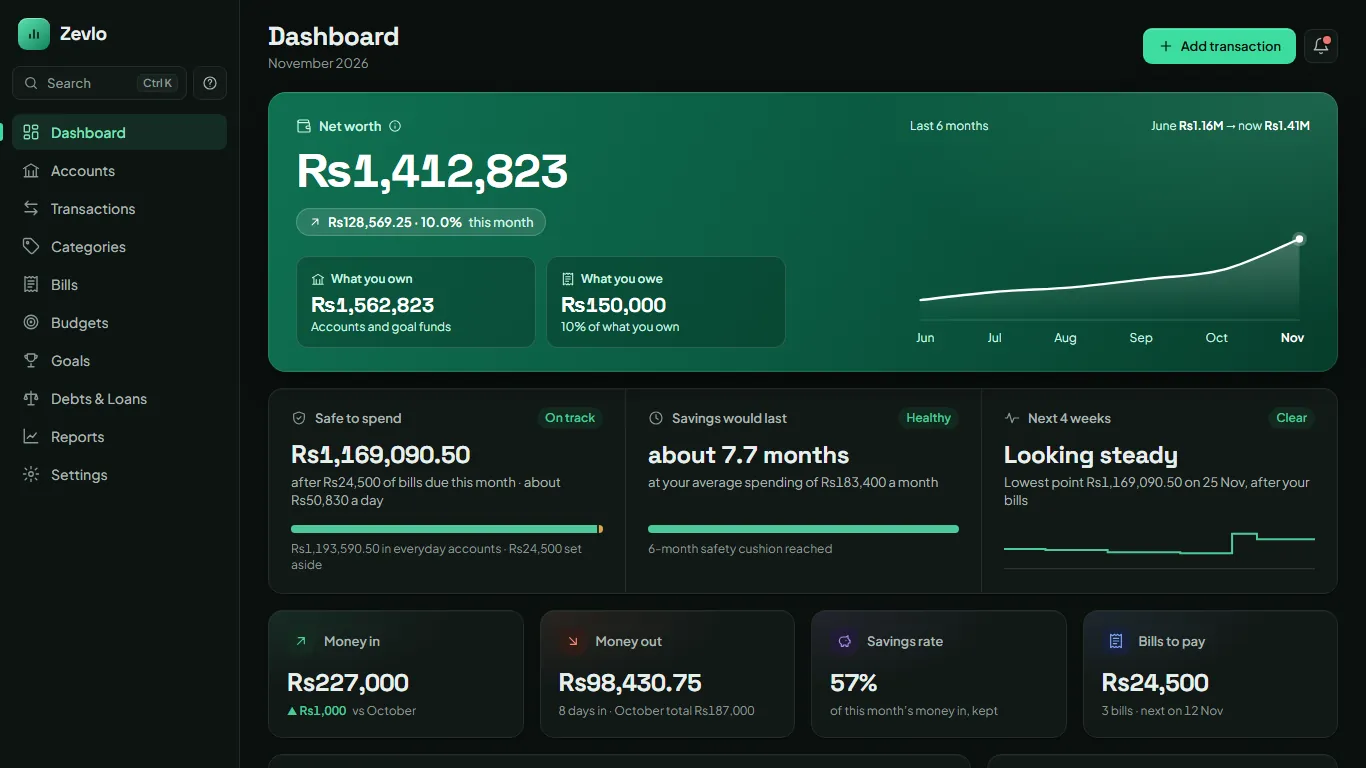
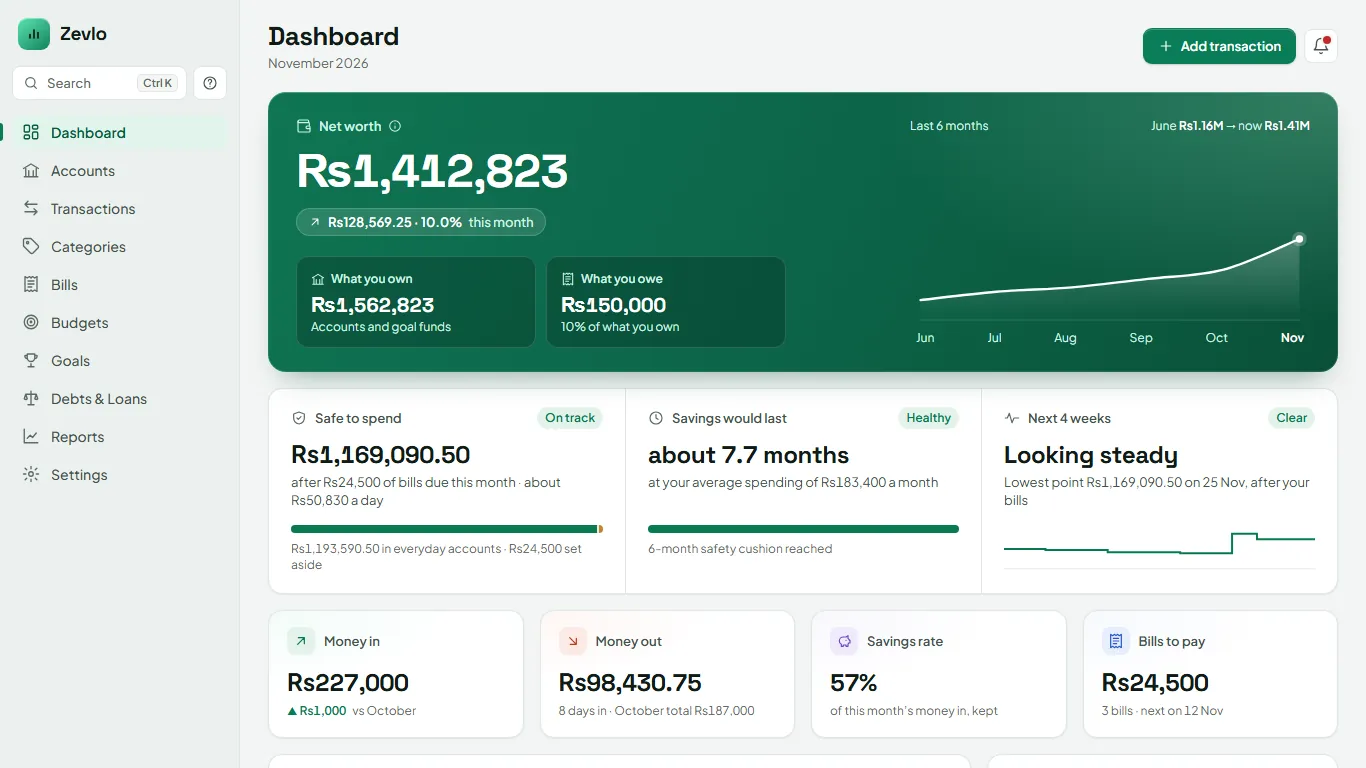
Zevlo is a private finance app for Windows. Track every account in any currency, plan bills, budgets and goals, and see exactly where you stand — all encrypted on your own computer. No account. No bank login. No subscription.
14 days free, every feature No card needed Works offline
Offline Encrypted No subscription
Zevlo brings your accounts, bills, budgets, goals and debts together — so you always know what's safe to spend and what's coming next.
Banks, savings, wallets and cash in PKR, USD, AED and more — each in its own currency, with your total shown in the one you choose.
See what's due, from which account, and how many days you have left.
Set a limit per category. What you don't spend carries into next month.
Save towards a car, Hajj, a wedding or an emergency fund — and watch the progress.
Money you owe and money owed to you, tracked until it's settled.
Money in and out month by month, where your money went, and what's left over — in plain words, not jargon.
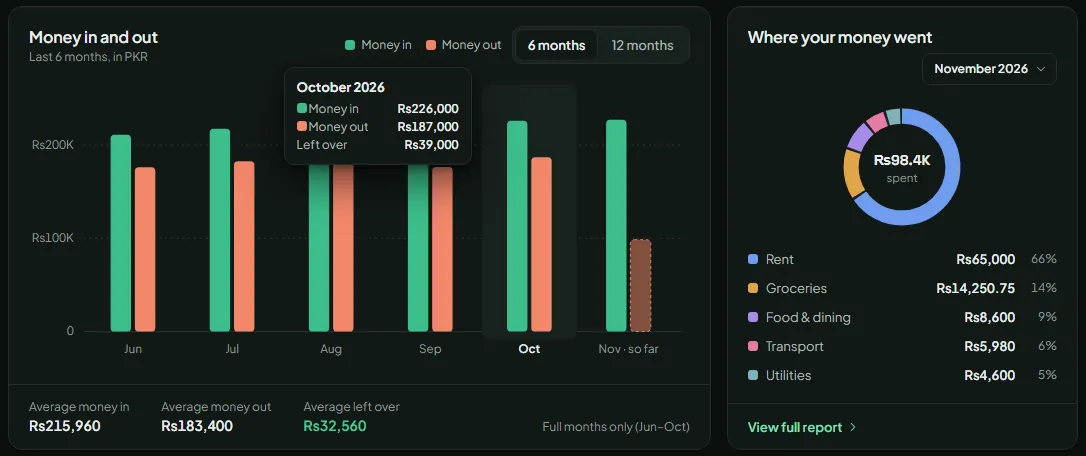
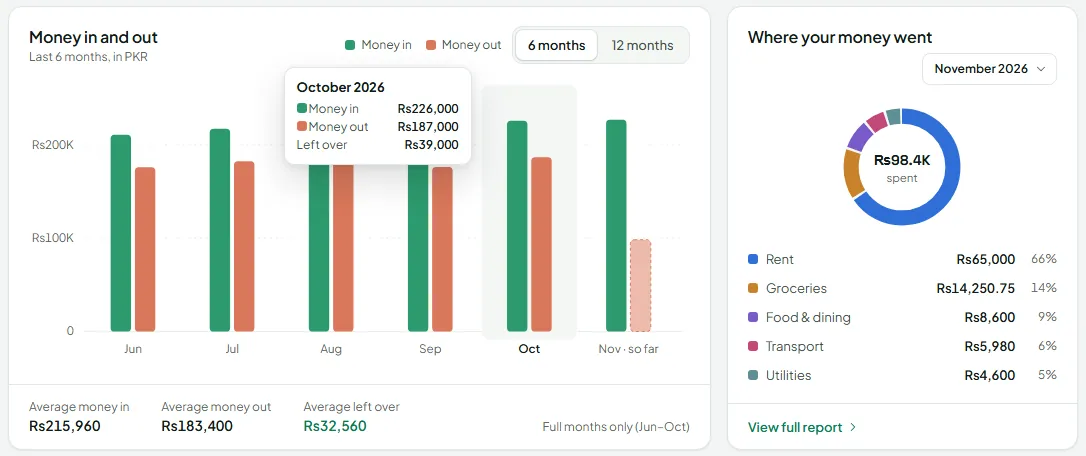
Most finance apps want your bank password and keep your history on their servers. Zevlo doesn't have servers for your data at all. Everything you enter is encrypted with AES-256-GCM and stored on your PC, protected by your PIN — and a Recovery Key that only you hold.
No card, no account. The trial is the full app — keep your data when you buy.
Get the Windows installer and set your PIN. Zevlo gives you a Recovery Key — keep it somewhere safe.
Zevlo connects to the internet once to start your 14 days. After that, everything runs offline.
Like it? Buy a licence once, enter your key, and keep going — all your data stays exactly where it is.
No subscription, no monthly fee, no surprise renewals.
For one Windows computer
US$29once
Includes every 1.x update.
Send a short request — we'll email payment details and your licence key.
International card checkout is on the way.
The free trial includes every feature, so you know exactly what you're buying.
Only once, to start your 14-day trial. Everything else — adding entries, reports, backups — works completely offline. If your PC can't connect, the app can guide you through the offline trial and activation pages.
On your own PC, encrypted with AES-256-GCM. It is never uploaded anywhere — there is no Zevlo account and no server that holds your finances.
That's what your Recovery Key is for. Keep it somewhere safe, away from your PC. Because we never have your data, we can't reset it for you.
No. Zevlo is US$29 once for one computer, and includes every 1.x update.
Yes — download a CSV statement from your bank and import it. If anything looks wrong, undo the whole import in one step. Zevlo never asks for your bank login.
Zevlo isn't code-signed yet (it's coming soon), so Windows SmartScreen shows "Windows protected your PC" for new apps. Our step-by-step guide explains what it means and how to continue safely.
Use the request form and choose bank transfer, JazzCash or Easypaisa. We'll email you the payment details, then send your licence key.
Not at the moment — Zevlo is built for Windows 10 and Windows 11.
More answers on the support page.
Download Zevlo, try every feature free for 14 days, and keep your money where it belongs — with you.